



FXAA is a cheap, single-frame blur filter that smooths edges with almost no FPS cost but can soften textures and miss shimmer in motion. TAA blends data from several past frames to kill shimmer and stabilize fine detail, at the cost of some GPU headroom and occasional ghosting behind fast-moving objects. If your GPU is struggling, pick FXAA. If you have frames to spare and your game’s TAA implementation is decent, TAA usually wins.
That’s the one-line version. Everything past this point is the stuff most comparison articles skip: why TAA got forced into so many engines without an off-switch, how to actually spot ghosting instead of just reading about it, and what settings to run per game genre instead of a vague “it depends.”
Why This Debate Won’t Die
Search “fxaa vs taa reddit” and you’ll land in communities like r/FuckTAA, a subreddit built entirely around frustration with temporal anti-aliasing. That’s not a fringe opinion. It’s a real signal about how modern engines ship.
Here’s the part most guides leave out: TAA isn’t just an anti-aliasing option anymore in a lot of engines. In Unreal Engine 4 and 5 especially, TAA is often load-bearing. Developers lean on it to clean up dithered transparency, hair rendering, foliage, and screen-space reflections. Turn it off in some UE5 titles and you don’t just lose smooth edges, you expose noisy, flickering effects that were never designed to be seen without temporal blending underneath them.
That’s why “just turn off TAA” isn’t always good advice, even though plenty of players want to.
What Competitor Guides Get Wrong
Most articles on this topic give you a features table and a shrug. A few things they consistently miss:
- They don’t explain why TAA is forced. It’s rarely a preference thing. It’s an engine dependency.
- They don’t distinguish “blur” from “ghosting.” These are different problems with different causes, and fixing one doesn’t fix the other.
- They rarely mention sharpening filters, which change the FXAA vs TAA comparison more than almost anything else.
- They treat all TAA as equal. A well-tuned first-party TAA (Naughty Dog, id Software) looks nothing like a lazy default UE4 implementation.
Blur vs Ghosting: Two Different Diseases
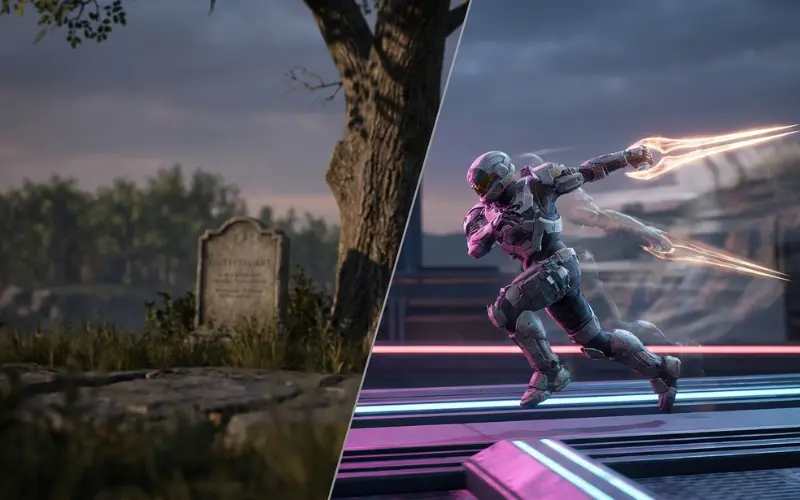
People use these words interchangeably. Don’t.
Blur is a constant softness across the whole image, most visible on text, foliage, and distant detail. It comes from TAA’s frame-blending math averaging out fine detail over time. It’s present even when nothing on screen is moving.
Ghosting is a trailing afterimage behind a moving object, usually your character’s weapon, a fast enemy, or a particle effect. It happens when the engine’s motion vectors mispredict where a pixel should land next frame, so old frame data gets smeared into the wrong spot.
Why this matters: a game can have excellent, nearly invisible TAA blur but terrible ghosting (common in games with lots of transparent VFX), or the reverse. Judging “is TAA bad in this game” requires checking both separately, in motion, not from a screenshot.
FXAA vs TAA by Genre (What I’d Actually Run)
| Game Type | Recommended | Why |
|---|---|---|
| Competitive shooters (Valorant-style, low VFX) | FXAA or off | Priority is raw clarity and minimum input-to-photon latency; shimmer is a minor cost |
| Open-world / RPG with dense foliage | TAA | Foliage and grass shimmer badly without temporal data; blur is less noticeable at normal viewing distance |
| Survival/extraction shooters (long sightlines, foliage, camo) | TAA, tuned down | Enemy silhouettes shimmer through leaves without it, but crank sharpening to counter softness |
| Racing sims | TAA | Thin geometry (guardrails, cables, distant cars) aliases hard; motion blur already masks some TAA softness |
| Flight simulators | TAA, high quality if available | Cockpit instruments and distant terrain detail benefit enormously from temporal stability |
| Retro/pixel-art or stylized low-poly games | Off or FXAA | Little geometric aliasing to fix; TAA just smears intentional art style |
My Experience With FXAA vs TAA
After testing FXAA and TAA across different games, I found that FXAA feels sharper and lighter for competitive gaming, while TAA handles foliage, thin details, and motion shimmer much better. I also noticed that TAA quality depends heavily on the game’s implementation, so I prefer judging both settings during actual gameplay instead of relying only on FPS numbers.
FXAA vs TAA vs FSR vs DLSS: Don’t Confuse the Categories
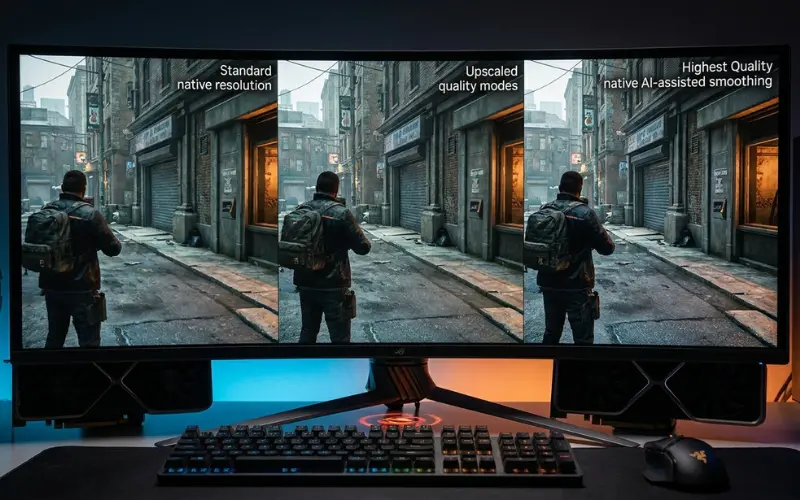
This trips people up constantly. FXAA and TAA are anti-aliasing methods. FSR and DLSS are upscalers that happen to include their own anti-aliasing as a side effect of how they reconstruct the image.
- FXAA/TAA: render at native resolution, clean up edges after the fact (FXAA) or across frames (TAA).
- DLSS/FSR (quality modes): render at a lower internal resolution, then reconstruct up to your display resolution using temporal data, similar in spirit to TAA but smarter about it.
- DLAA: DLSS’s anti-aliasing-only mode. No resolution drop, just AI-assisted temporal smoothing at native res. Best image quality of the bunch if your GPU supports it and has spare frame budget.
Practical takeaway: if your game offers DLSS or FSR and you’re currently running plain TAA, switch to DLSS Quality (or FSR Quality on AMD/consoles) instead. You’ll typically get better anti-aliasing than native TAA plus a frame rate boost, because the reconstruction algorithms are more sophisticated than a standard temporal blend.
Fixing TAA Blur Without Turning It Off
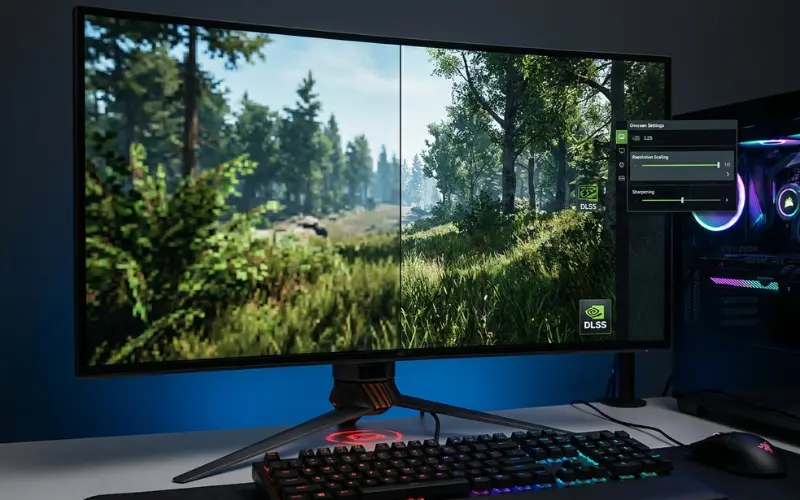
If your game forces TAA and you don’t want to lose the effects it’s propping up, here’s what actually helps, in order of impact:
- Raise render resolution or use DLDSR/VSR. Feeding TAA a higher-resolution source before it downsamples reduces perceived blur dramatically. This is the single biggest lever.
- Increase in-game sharpening 10 to 20%. Most engines ship a sharpening slider paired with TAA. Push it until you see haloing around edges, then back off one notch.
- Switch to DLSS/FSR if available, even at “Quality” preset with no resolution scaling benefit sought. The reconstruction is simply better than generic TAA.
- Update GPU drivers. Sounds basic, but temporal reconstruction bugs get patched surprisingly often.
- Check for a TAA “sample count” or quality setting. Some engines (id Tech, Frostbite) expose this. Higher sample count reduces ghosting at a real but usually small FPS cost.
MSAA vs TAA vs FXAA: Why MSAA Basically Disappeared
MSAA used to be the gold standard because it samples actual geometry edges instead of post-processing the final image. So why don’t modern AAA games ship it?
Deferred Rendering Killed It
Most modern engines calculate lighting in a separate pass from geometry (deferred shading), which makes MSAA either impossible to implement cleanly or extremely expensive to hack back in. On top of that, MSAA never touched shader aliasing, foliage cutouts, or specular shimmer, the stuff that dominates aliasing in modern games with dense vegetation and PBR materials. TAA solves those problems MSAA was never built for, which is the real reason it took over, not just cost.
Quick Reference: FXAA vs TAA at a Glance
| Factor | FXAA | TAA |
|---|---|---|
| Performance cost | Very low (~1-2% FPS) | Low-moderate (~3-8% FPS) |
| Sharpness | Preserves detail well | Softer by default, fixable with sharpening |
| Shimmer/aliasing in motion | Weak control | Strong control |
| Ghosting risk | Essentially none | Possible, varies by implementation |
| Fixes shader/foliage aliasing | No | Yes |
| Needed for some engine effects | No | Often yes (UE4/5 dithering, hair, SSR) |
| Best paired with | High refresh rate, competitive play | Sharpening filter or DLSS/FSR swap |
FAQ
1. Should I use FXAA or TAA?
Use TAA if your GPU has frame budget to spare and the game has foliage, fine detail, or transparency effects. Use FXAA if you’re frame-rate limited or the game is visually simple enough that shimmer isn’t a real problem.
2. Is FXAA better for FPS?
Yes, in raw frame rate terms FXAA almost always costs less than TAA. The gap is usually small, roughly 3-6 FPS on mid-range hardware, but it’s consistent.
3. Is it better to have FXAA on or off?
If the game has any geometric or shader aliasing at all, FXAA on looks better than off for almost no performance cost. The only case for off is stylized, low-detail, or pixel-art games where there’s little to smooth.
4. Is FXAA or TAA more blurry?
TAA is generally the blurrier of the two by default, because it blends multiple frames. FXAA blurs less overall but can still soften fine text and thin lines in a single pass.
5. FXAA vs TAA vs SMAA, which is better?
SMAA sits between the two: sharper than TAA, better at catching shimmer than FXAA, but with no temporal stability for motion. If a game offers SMAA and you dislike TAA blur but find FXAA too weak, SMAA is worth trying first.
6. FXAA vs TAA vs off, what should I pick for a low-end PC?
FXAA almost always. Running with anti-aliasing fully off saves only a marginal amount over FXAA but leaves visible jagged edges and shimmer that FXAA would have caught for nearly free.
7. Does DLSS replace the need to choose between FXAA and TAA?
Largely, yes. If your GPU supports DLSS or FSR, use Quality mode instead of manually picking an AA method. It handles anti-aliasing internally and usually outperforms both FXAA and standard TAA in image quality per frame spent.
8. Why does TAA look worse in some games than others, if it’s the same technique?
Because TAA quality depends entirely on the implementation, not just the technique. Motion vector accuracy, jitter pattern, sample count, and how aggressively the engine clamps history data all vary by studio. A poorly tuned TAA can look far worse than a well-tuned one, even at the same base settings.
