



Finding the perfect laptop for programming and graphic design is like hunting for a unicorn – powerful, sleek, and capable of making your creative and coding dreams come true.
But don’t worry, we’ve done the heavy lifting for you (so you can keep sipping your coffee while we do the research).
In this article, we’ll guide you through the best laptops for programming and graphic design, highlight what makes them stand out, and even sprinkle in some fun along the way.
You may like this
Top 30 Best Free & Paid AI Tools Software Everyone Will Use
Autonomous AI Agents 2026: How AI Is Replacing Human Jobs Faster Than Ever
Best Wireless Earbuds with Noise Cancellation Under $200
Why Choosing the Right Laptop Matters

Whether you’re debugging a complex piece of code or creating a jaw-dropping graphic design, the right laptop can make or break your workflow. Here’s why:
Performance: Slow laptops = slow work. Ain’t nobody got time for that.
- Display Quality: Graphic design demands crisp colors, while programming needs a screen that won’t make your eyes cry.
- Portability: Heavy laptops are like dragging a brick around – painful!
- Battery Life: Your laptop shouldn’t die mid-project like your coffee mug in a zombie apocalypse.
In short, a good high-performance laptop keeps you productive and your creativity flowing.
Key Features to Look for in Laptops for Programming and Graphic Design
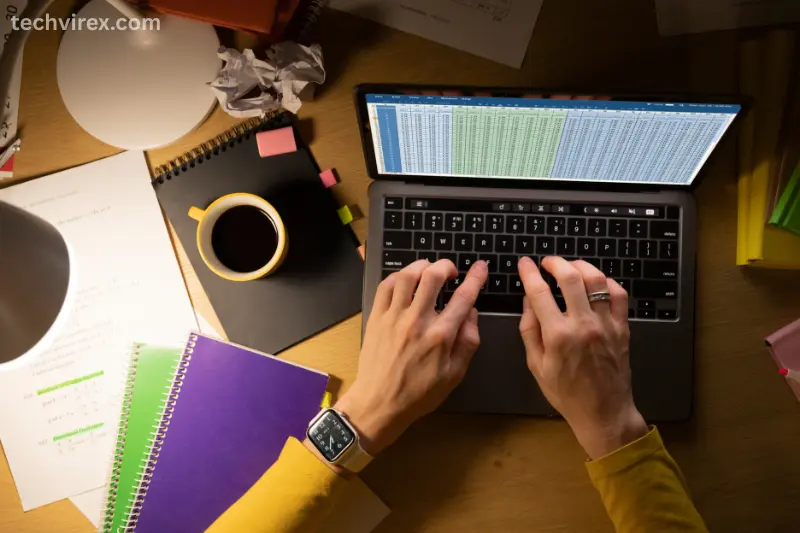
Before we jump into the top models, let’s check the essential features you should look for in programming laptops and graphic design laptops:
- Powerful Processor – Intel i7/i9 or AMD Ryzen 7/9 is ideal for multitasking and running heavy software.
- Ample RAM – 16GB is the minimum, 32GB is heaven for designers and programmers.
- High-Resolution Display – 4K or at least 1080p for sharp graphics and detailed visuals.
- Dedicated Graphics Card – Essential for graphic design laptops, especially for software like Adobe Photoshop or Blender.
- Fast Storage – SSDs over HDDs for quicker boot times and program launches.
- Keyboard Comfort – Long coding sessions demand a keyboard that won’t turn your fingers into cramp zombies.
- Port Selection – Multiple USB, HDMI, Thunderbolt ports – because adapters are the worst.
Top Laptops for Programming and Graphic Design
Here are the best options for laptops for programming and graphic design in 2026, carefully selected for performance, reliability, and style.
Apple MacBook Pro 16-inch (M2 Max) – Best for Graphic Design Laptops
If you’re a Mac fan or love a buttery smooth experience, the MacBook Pro is hard to beat.
Why it stands out:
- Stunning Retina display – colors pop like fireworks.
- M2 Max chip – handles heavy programming and creative software without breaking a sweat.
- Long battery life – code all night, design all day.
Pros:
- Lightweight but powerful
- Excellent build quality
- Fantastic keyboard and trackpad
Cons:
- Pricey (but you get what you pay for)
- Limited port selection (hello, dongle life)
This laptop is perfect for designers who also want a programming laptop capable of handling large codebases.
Dell XPS 15 – High Performance Laptop for Multi-Taskers
Dell XPS 15 is a classic choice for both programming laptops and graphic design laptops.
Key Features:
- Intel i9 processor
- Up to 64GB RAM (for the overachievers)
- NVIDIA RTX graphics card for smooth rendering
- InfinityEdge display – almost no bezels, max screen space
Pros:
- Sleek and portable
- Strong performance for demanding tasks
- Gorgeous display for design work
Cons:
- Battery life can be short under heavy load
- Slightly heavy for daily commute
ASUS ROG Zephyrus G14 – Best for Programmers Who Game
Who says you can’t code and game on the same laptop? The ASUS ROG Zephyrus G14 brings the power of a high performance laptop in a compact form.
Features:
- AMD Ryzen 9 processor
- NVIDIA RTX 4060 graphics
- Lightweight and ultra-portable
- Excellent cooling system (no overheating while you code late at night)
Pros:
- Perfect for multitasking
- Great for graphic design laptops too
- Long battery life for a gaming laptop
Cons:
- Fans can get loud under stress
- Limited screen size for some designers
try these articles too
Best Smartphones: iPhone 17 vs Samsung Galaxy S26
Best Smartphone Accessories: Must‑Have Gadgets, Chargers & Earbuds
Best Smartphones to Buy in 2026: Top Picks for Every Budget
Lenovo ThinkPad X1 Extreme – Reliable Programming Laptop
ThinkPads are legendary in the programming world. They are durable, reliable, and have one of the best keyboards for long coding sessions.
Why it’s great:
- Intel i7/i9 processor
- Up to 32GB RAM
- Dedicated graphics card for design work
- Business-friendly features
Pros:
- Excellent keyboard
- Strong build quality
- Solid performance
Cons:
- Design is plain (not for those who love flashy laptops)
- Pricey upgrades
HP Spectre x360 – Convertible Graphic Design Laptop
If flexibility and portability are your priorities, HP Spectre x360 is a top pick. Flip it into tablet mode for sketching, or keep it as a traditional laptop for programming.
Features:
- Intel i7 processor
- 16GB RAM minimum
- Touchscreen with stylus support
- Lightweight and stylish
Pros:
- Versatile 2-in-1 design
- Long battery life
- Premium build
Cons:
- Can be expensive with max specs
- Slightly heavier in tablet mode
Tips to Maximize Your Laptop for Programming & Graphic Design
Even the best high-performance laptops need a little TLC to perform like a champ:
- Keep your OS updated – Security and performance improvements matter.
- Regularly clean files and cache – No one likes a cluttered laptop.
- Invest in a good cooling pad – Especially if you push your laptop hard.
- Use external monitors – More screen space = more productivity.
- Keyboard shortcuts – Save time and reduce finger fatigue.
FAQs About Laptops for Programming and Graphic Design
What is the best laptop for programming and graphic design?
The best laptop is one that balances performance, display quality, and portability. For example, MacBook Pro, Dell XPS 15, and ASUS ROG Zephyrus G14 are top choices for both programming laptops and graphic design laptops. Basically, if it can handle heavy software without breaking a sweat, it’s a winner.
Can I use a gaming laptop for programming and graphic design?
Absolutely! A high performance laptop like ASUS ROG series or MSI laptops works great for coding and design. Just make sure it’s not too heavy and has a good display – no one wants pixelated graphics while designing.
How much RAM do I need for programming and graphic design?
For smooth multitasking, 16GB is the minimum, but if you want to feel like a coding/design wizard, 32GB or more is perfect. More RAM = fewer “spinning wheels of doom.
Do I need a dedicated graphics card for programming?
Not always. Most programming laptops can work fine without it. But for graphic design laptops, a dedicated GPU is a must, especially for rendering, Photoshop, Illustrator, or 3D software.
Are MacBooks better than Windows laptops for programming and graphic design?
It depends on your preference. MacBooks are sleek, stable, and fantastic for design software. Windows laptops often give more value for money and more upgrade options. Both can be excellent high performance laptops if chosen wisely.
Conclusion
Choosing the right laptops for programming & graphic design doesn’t have to be stressful. From MacBook Pro to Dell XPS 15, each laptop above offers a balance of power, portability, and performance.
Whether you’re a coder, a designer, or both, a high performance laptop can transform your workflow and creativity.
So go ahead, pick your dream machine, and let your coding and design magic flow – your future self will thank you!
Pro Tip: Don’t forget coffee. And snacks. Laptops don’t feed themselves.
