



Cloud printing solutions let you send a print job from any device to any authorized printer over the internet, without a physical connection, a local driver install, or an on-site print server keeping the whole thing alive. For a household, that means printing from your phone while you’re at the grocery store and picking up the page at home later. For a business, it means IT stops babysitting a print server that only exists to keep drivers and queues working.
That’s the short version. The long version is where most guides on this topic fall apart, because “cloud printing” and “cloud print management” get used interchangeably when they’re solving two different problems. I’ll untangle that below, then walk through what actually matters when you’re choosing between them: cost, security, hardware compatibility, and the stuff that only shows up after you’ve lived with a platform for six months.
Cloud Printing vs. Cloud Print Management: Why This Distinction Actually Matters
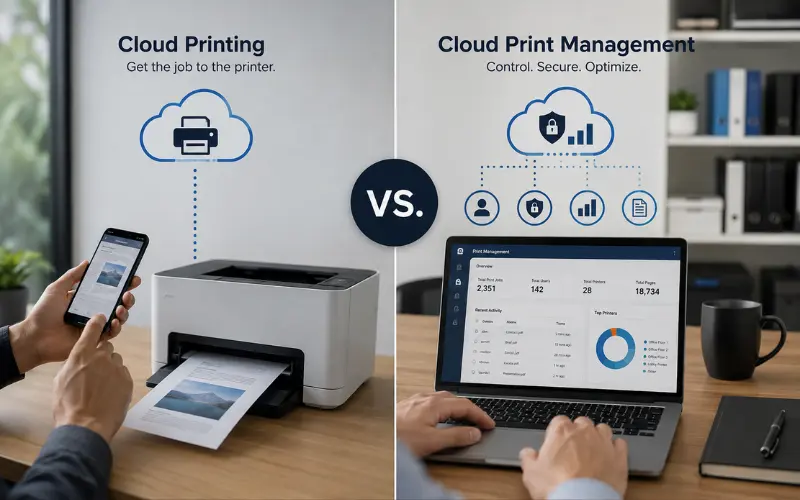
Most vendor pages use these terms as if they mean the same thing. They don’t, and mixing them up is how people end up buying the wrong product.
Cloud printing is about enablement. It gets a print job from a device to a printer over the internet, full stop. Think of it as the delivery truck.
Cloud print management is about control. It tracks who printed what, enforces quotas, applies security policies, and gives IT a dashboard instead of a server room full of guesswork. Think of it as the delivery company’s entire logistics operation, complete with tracking numbers and receipts.
A home user who just wants to print a boarding pass from their phone needs cloud printing. A 200-person law firm that needs to know exactly who printed a client’s confidential filing, and wants it release-locked until that person badges in at the printer, needs cloud print management. Buying an enablement tool when you needed a management platform is the single most common mistake I see admins make, and it’s usually discovered three months in when someone asks for a usage report that doesn’t exist.
What Actually Killed Google Cloud Print (And Why People Still Search For It)
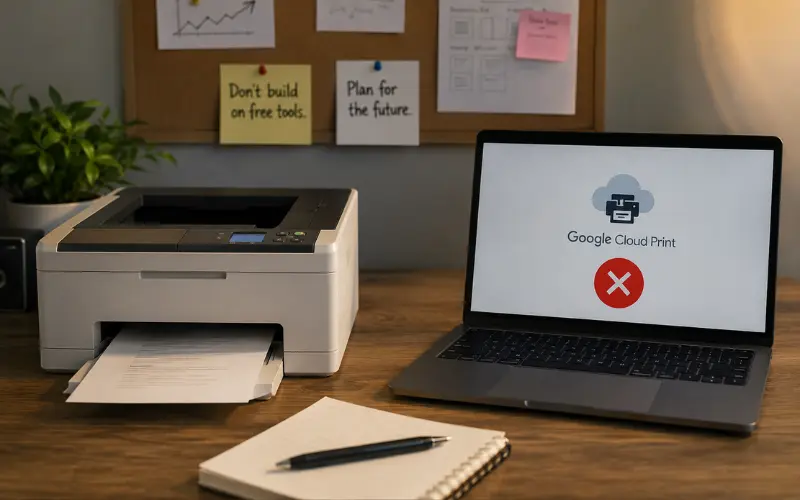
Google Cloud Print shut down in December 2020, and yet it’s still one of the most searched terms tied to this topic. Here’s why that matters for your decision: Google’s service was free, dead simple, and tied every printer to a Google account. It worked great until it didn’t scale to enterprise needs, security got shakier as attack surfaces grew, and Google decided consumer print wasn’t worth maintaining.
The lesson buried in that shutdown: never build your printing workflow around a single vendor’s free tool with no migration path. Every solution below has a defined product roadmap and a business model that isn’t “give it away and hope.” That’s not a knock on free tiers, it’s a reason to check whether a vendor’s free tier is a stepping stone to a real paid platform, or a side project that could vanish.
Free and Low-Cost Cloud Printing Solutions for Home Use
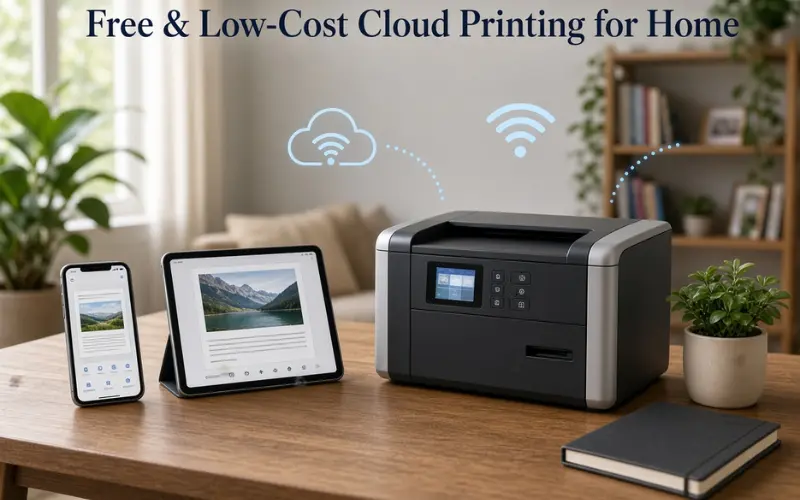
If you’re printing from a phone at home, you don’t need enterprise print management. Here’s what actually works without a subscription:
- PaperCut Mobility Print — Free, and it does one job well: it lets phones, tablets, and laptops discover and print to a shared printer on your network without hunting for drivers. This is the closest thing to a legitimate Google Cloud Print replacement still standing.
- Manufacturer cloud apps — HP Smart, Canon PRINT, and Epson Smart Panel all let you print to your own printer from anywhere, provided the printer stays connected to the internet. Fine for a single household, clunky the moment you add a second printer or a roommate.
- AirPrint / native OS printing — If everyone on your network uses Apple devices and the printer supports AirPrint, you don’t need a third-party app at all. It’s the simplest option and the one most people overlook because it isn’t marketed as “cloud printing.”
None of these give you usage tracking, quotas, or access control. That’s fine for a family. It’s not fine the moment you’re running a small office, even a two-person one, because you’ll want to know why the toner ran out in nine days.
Best Cloud Printing Solutions for Business, Ranked by What They’re Actually Good At
I’m not going to pretend there’s one “best” platform, because the right pick depends entirely on your fleet size, your existing Microsoft footprint, and whether you’re trying to eliminate print servers completely or just modernize what you have.
| Platform | Best for | What sets it apart | Where it falls short |
|---|---|---|---|
| PaperCut Hive / MF | All-around print management, education | Deep feature parity across cloud and on-prem, strong sustainability reporting | Pricing only available through resellers, adds a step |
| Microsoft Universal Print | Microsoft 365 shops already on Entra ID | No print server needed if your printers are Universal Print-ready; billed per user alongside M365 | Print-ready hardware is still a limited list; older printers need a connector |
| Vasion (PrinterLogic) | Eliminating print servers entirely | Serverless core, self-service driver installs, works well across branch offices | Costs more than lightweight SaaS options; less granular policy control than PaperCut |
| Pharos Cloud | Cost visibility and analytics | Detailed usage dashboards that make it easy to justify budget cuts to finance | Setup is more involved than plug-and-play tools |
| ezeep / directprint.io | Small teams, Chromebook-heavy environments | Transparent per-device pricing, works without local drivers | Thin feature set for complex cost accounting or scan workflows |
A pattern worth noticing: the vendors with the strongest analytics (Pharos, PaperCut) are the ones IT teams reach for when a CFO starts asking pointed questions about the print budget. The vendors built around eliminating infrastructure (Vasion, Printix) win when the real pain is server maintenance, not cost reporting. Match the tool to the actual complaint you’re trying to solve, not the one in the marketing copy.
Microsoft Universal Print: What the Official Page Doesn’t Tell You
Universal Print is genuinely good if you’re already running Microsoft 365 with Entra ID (formerly Azure AD), because it removes the need for a hybrid print server setup and lets IT manage printers from one Azure portal. But three things trip people up that Microsoft’s own marketing glosses over:
First, pricing isn’t a flat add-on. It’s bundled into certain Microsoft 365 and Windows 11 Enterprise licensing tiers, and if your organization is on a lower tier, you’re either upgrading licenses or paying per-printer add-on pricing. Budget for this before you pilot it, not after.
Second, “Universal Print-ready” hardware is still a narrower list than you’d expect from a Microsoft product with this much backing. If your printer isn’t on that list, you need a connector app running on a local machine to bridge it in, which reintroduces a small piece of the on-prem dependency you were trying to remove.
Third, printer discovery for end users depends heavily on how cleanly your Entra ID groups and locations are set up. A messy identity structure means users see a cluttered printer list or, worse, can’t find the right one. This is an identity hygiene problem disguised as a printing problem, and it’s the number one support ticket I’ve seen teams generate after rollout.
What SysAdmins Actually Argue About When Picking a Cloud Print Solution
Pull up any IT forum thread on this topic and the debate rarely stays on features. It centers on three recurring tensions:
- Self-hosted vs. fully-hosted control. Some admins want their data staying on infrastructure they control (self-hosted, single-tenant), even if it’s cloud-adjacent. Others are happy to hand backup, updates, and uptime entirely to a vendor (fully-hosted, multi-tenant SaaS). Neither is objectively right, it depends on your compliance requirements and how much you trust outsourcing update cycles.
- Driver management pain. The most common complaint isn’t about the cloud part at all, it’s about print drivers breaking after a Windows update, or a specific printer model needing a driver nobody can find anymore. Platforms with a universal driver (removing the need for manufacturer-specific drivers entirely) get consistently better reviews from admins who’ve been burned by this.
- Migration effort being underestimated. Nearly every admin who’s done a migration says the same thing: budget more time than the vendor’s sales deck implies. Moving print queues, user permissions, and printer mappings off a legacy server is rarely a weekend project once you’re past 50 users.
The Disadvantages of Cloud Printing Nobody Puts in the Headline
Every vendor page sells the upside. Here’s what actually goes wrong in practice:
- Internet dependency is real. If your connection drops, cloud-dependent printing can stall mid-job on platforms that don’t cache locally. Look specifically for “edge” or offline-resilience features if your location has unreliable internet.
- Large-format and specialty jobs need extra scrutiny. CAD drawings, GIS maps, and high-resolution graphics push far more data than a standard office document. Not every cloud platform compresses and streams large files efficiently, and a platform that’s excellent for memos can choke on a 300MB blueprint.
- Security is only as good as patch discipline, on either side. A well-known 2023 incident involving an unpatched PaperCut server showed that cloud-adjacent print infrastructure is still a target. The point isn’t to avoid cloud print, it’s that “it’s in the cloud” isn’t a security guarantee by itself, vendor patch speed and your own configuration both matter.
- Vendor lock-in through printer hardware. Some platforms nudge you toward specific “cloud-ready” printer models. If you’re not careful, replacing your fleet becomes tied to whichever software you picked, not the other way around.
How Much Time and Cost Savings Are Realistic
Organizations that move print management to the cloud commonly report cutting print volume by 20 to 30 percent within the first year, mostly by enforcing duplex defaults, killing abandoned print jobs, and giving departments visibility into who’s actually printing what. That’s not marketing fluff, it’s the direct result of dashboards making waste visible for the first time.
The time savings show up differently: fewer help-desk tickets for driver errors, faster printer deployment for new hires (minutes instead of a technician visit), and IT no longer patching a print server at 11pm because a vulnerability just dropped. If your team is currently spending real hours each month on print server maintenance, that’s the number to compare against subscription cost, not just the per-user price tag.
Frequently Asked Questions
What replaced Google Cloud Print?
There’s no single direct replacement, since Google didn’t hand the market to anyone. PaperCut Mobility Print is the closest free equivalent for home and small-office printing. For businesses, Microsoft Universal Print and PaperCut Hive have absorbed most of the demand that Google Cloud Print used to serve.
Do I need a special printer for cloud printing?
No. Most cloud print platforms work with existing network printers through a small connector or agent. “Cloud-ready” printers with native support (like Universal Print-ready models) simplify setup, but they’re optional, not required.
What is the difference between cloud printing and Managed Print Services?
Cloud printing enables jobs to travel over the internet to a printer. Managed Print Services (MPS) is broader: it covers hardware maintenance, supplies, cost tracking, and strategic oversight of your entire print environment, and many MPS providers deliver that through one of these cloud platforms behind the scenes.
Is cloud printing safe for confidential documents?
It can be, if the platform encrypts jobs in transit and at rest, supports secure release (the document only prints after the user authenticates at the device), and gets patched quickly. Ask vendors directly about their patch response time, since that’s what determined the outcome in past print-server security incidents.
What’s the best cloud print solution for a small business with under 20 employees?
Ezeep or directprint.io usually fit better than enterprise suites at that size, since pricing is transparent and per-device, and setup doesn’t require a dedicated IT hire. PaperCut Hive is worth considering if you expect to grow past 50 users within a year or two.
Can I use cloud printing without any IT staff at all?
Yes, for a very small setup. Manufacturer apps (HP Smart, Canon PRINT) or PaperCut Mobility Print need no ongoing administration. Once you’re managing user permissions, quotas, or multiple locations, you’ll want at least a part-time admin or an MSP.
What is print on demand and is it related to cloud printing?
Print on demand refers to producing physical products (books, merchandise, marketing materials) only when ordered, using cloud-connected production facilities. It’s a commercial variant of cloud printing but solves a different problem than office print management, it’s about manufacturing, not document workflows.
How long does migrating from an on-prem print server to the cloud usually take?
For under 50 users, a weekend to a week is realistic. Past that, budget several weeks to account for testing printer mappings, permissions, and driver behavior across departments before fully decommissioning the old server.
