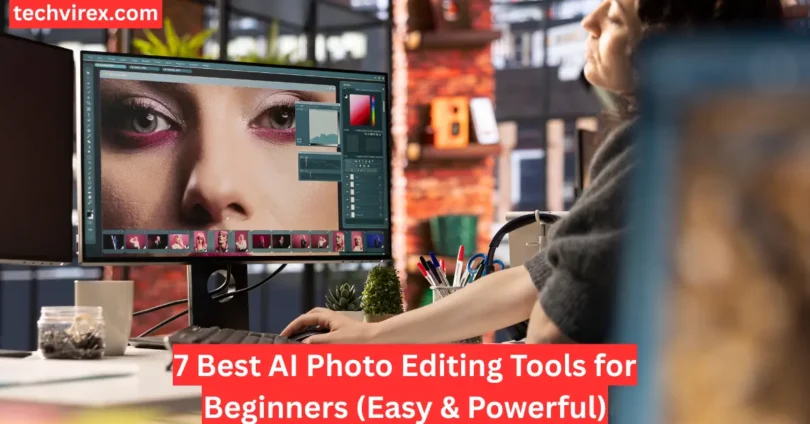

In today’s digital world, visuals matter more than ever, and AI Photo Editing has completely changed how people enhance their images. What once required advanced skills and complicated software can now be done in just a few clicks. Whether you’re a beginner or just someone who wants quick results, AI makes the process simple and stress-free.
Many people struggle with traditional editing tools because they take time to learn and practice. This is where AI Photo Editing becomes a game-changer, as it automatically improves your photos by adjusting lighting, colors, backgrounds, and more. It saves time while still delivering professional-looking results, even if you have no editing experience.
In this guide, you’ll discover the best AI Photo Editing tools that are perfect for beginners. These tools are easy to use, powerful, and designed to help you create stunning images effortlessly. Let’s explore how you can start transforming your photos in minutes instead of hours.
What Is AI Photo Editing? (Beginner-Friendly Explanation)
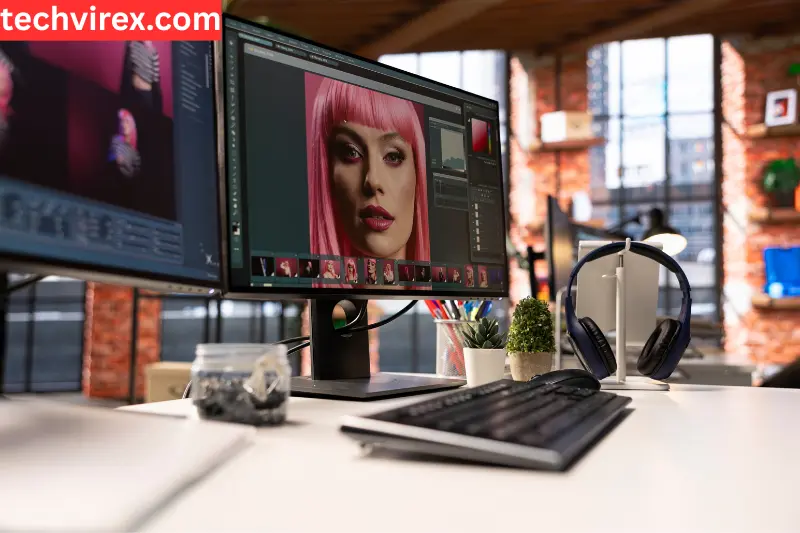
AI Photo Editing is a modern way of editing images using artificial intelligence. Instead of manually adjusting every detail, AI automatically improves your photos with just one click, making the process fast and effortless.
How AI Photo Editing Works
AI tools analyze your image and instantly recognize important elements such as:
- Faces and skin tones
- Lighting and shadows
- Background and surroundings
- Objects within the image
Based on this analysis, the tool applies smart adjustments to enhance the overall look of the photo.
Common Examples of AI Photo Editing
With AI Photo Editing, you can easily:
- Improve colors and brightness automatically
- Remove or replace backgrounds in seconds
- Erase unwanted objects from your photo
- Enhance portraits with smooth and natural skin tones
- Why AI Photo Editing Is Perfect for Beginners
AI Photo Editing is ideal for beginners because:
- It requires no technical skills or experience
- Most edits are done with one-click tools
- It saves time compared to manual editing
- You get professional-looking results instantly
In short, AI Photo Editing makes it possible for anyone to create high-quality images without learning complex editing software.
Quick Comparison of the Best AI Photo Editing Tools
| Tool | Best For | Platform | Free Plan | Key AI Feature |
| Canva | Beginners & Social Media | Web / Mobile | Yes | Auto Enhance & Templates |
| Pixlr | Quick Online Editing | Web | Yes | Background Removal |
| Fotor | One-Click Edits | Web / Mobile | Yes | AI Photo Enhancer |
| Picsart | Creative Editing | Mobile / Web | Yes | AI Effects & Filters |
| Remove.bg | Background Removal | Web | Yes | Instant Background Cutout |
| Adobe Express | Professional Designs | Web / Mobile | Yes | AI Design Suggestions |
| Luminar Neo | Advanced AI Editing | Desktop | No | Generative AI Tools |
This quick comparison makes it easier to pick the best AI Photo Editing tool based on your needs, whether you’re a beginner, creator, or business owner.
7 Best AI Photo Editing Tools for Beginners
Here are the best AI Photo Editing tools that make photo editing simple, fast, and beginner-friendly. Each tool is selected based on ease of use, powerful AI features, and real-world use cases.
1. Canva – Best Overall AI Photo Editing Tool
Canva is one of the easiest and most popular AI Photo Editing tools, perfect for beginners who want quick and professional results without complexity.
Key Features:
- AI auto-enhancement for instant improvements
- One-click editing tools
- Clean and easy-to-use interface
Best for: Beginners
Pros:
- Very simple to use
- Fast editing with ready-made tools
Cons:
- Limited advanced editing control
2. Fotor – Best Free AI Photo Editing Tool
Fotor is a great choice for users looking for free AI Photo Editing tools with solid basic features.
Key Features:
- Free AI photo enhancer
- Basic editing tools for quick fixes
Best for: Budget users
3. Picsart – Best AI Tool for Social Media Creators
Picsart is ideal for creators who want eye-catching visuals for platforms like Instagram and YouTube.
Focus:
- Instagram posts
- YouTube thumbnails
Key Features:
- Ready-made templates
- Easy resize options for social media
4. Pixlr – Best AI Tool for Quick Edits
Pixlr is perfect when you need fast and simple AI Photo Editing without downloading software.
Focus: Speed
Key Features:
- One-click enhancement
- Instant editing results
5. Remove.bg – Best AI Background Removal Tool
Remove.bg specializes in background removal, making it perfect for e-commerce and product images.
Focus:
- Product photos
- E-commerce
Key Features:
- Automatic background cutout
- Clean and accurate edges
6. Adobe Express – Best Mobile AI Photo Editor
Adobe Express offers powerful AI Photo Editing features with a mobile-friendly experience.
Focus: Mobile apps
Key Features:
- Easy mobile editing
- AI filters and enhancements
7. Luminar Neo – Best AI Tool with Advanced Features
Luminar Neo is a powerful tool for users who want more advanced AI Photo Editing capabilities.
Focus: Generative AI
Key Features:
- AI object removal
- Image expansion and advanced edits
These AI Photo Editing tools cover everything from quick edits to advanced features, making them perfect for beginners and content creators alike.
Key AI Photo Editing Features Explained (Simple Guide)
Understanding the main features of AI Photo Editing will help you use these tools more effectively. The best part? Most of these features work automatically, so you don’t need any experience.
AI Auto Enhancement
This feature instantly improves your photo by adjusting:
- Lighting
- Contrast
- Colors
With one click, your image looks brighter, clearer, and more professional without manual editing.
AI Background Removal
AI can detect the subject in your photo and remove the background automatically.
Works in just one click
Perfect for profile pictures and product images
Lets you replace the background easily
AI Object Removal
This feature helps you remove unwanted things from your photo, such as:
- People in the background
- Wires or distractions
- Random objects
AI fills the removed area naturally so the image still looks clean and realistic.
Generative AI Editing
This is a more advanced AI Photo Editing feature that allows you to:
- Add new elements to your image
- Expand the background
- Change parts of the photo creatively
It’s useful for creating unique visuals without needing advanced design skills.
These features make AI Photo Editing powerful, simple, and perfect for beginners who want quick and high-quality results.
How to Edit Photos Using AI (Step-by-Step Guide)
Editing images with AI Photo Editing tools is simple and fast. Follow these easy steps to turn any photo into a professional-looking image.
Step 1: Upload Your Photo
Start by uploading your image to your chosen AI Photo Editing tool.
- Choose a high-quality image for better results
- Most tools support formats like JPG and PNG
- Drag-and-drop upload makes it quick and easy
Step 2: Use AI Auto-Enhance
Once uploaded, apply the AI auto-enhancement feature.
- Automatically improves lighting and colors
- Fixes brightness, contrast, and sharpness
- Gives your photo a clean and polished look instantly
Step 3: Remove Background or Objects
Next, clean up your image using AI tools.
- Remove background in one click
- Delete unwanted objects or distractions
- Make your subject stand out clearly
Step 4: Apply Filters or Effects
Enhance your image further with creative options.
- Add filters to match your style
- Adjust tones, colors, or mood
- Use effects to make your photo more attractive
Step 5: Download & Share
Finally, export your edited image.
- Download in high quality
- Optimize for social media or websites
- Share instantly on platforms like Instagram or blogs
With AI Photo Editing, you can complete all these steps in just a few minutes—no advanced skills required.
Best AI Photo Editing Tools for Different Use Cases
Different people use AI Photo Editing tools for different goals. Whether you’re creating content, running a business, or managing a blog, AI can save time and improve quality.
For YouTubers: Create Thumbnails Quickly
YouTubers need eye-catching thumbnails to get more clicks.
- Use AI Photo Editing to enhance colors and brightness instantly
- Remove backgrounds and add bold effects
- Create professional thumbnails in minutes
AI tools help creators produce consistent and engaging visuals faster, which is crucial for growing a channel
For Bloggers: Optimize Blog Images
Bloggers need clean and optimized images for better SEO and readability.
- Improve image quality with AI auto-enhancement
- Resize images for faster website loading
- Add simple effects to match blog style
AI tools make it easy to create visually appealing blog images without design skills
For Social Media: Fast Content Creation
Social media requires frequent posting and high-quality visuals.
- Quickly edit photos for Instagram, Facebook, and TikTok
- Use templates and filters for consistent branding
- Resize images for different platforms automatically
AI helps creators produce content faster while maintaining a professional look
For E-commerce: Clean Product Photos
E-commerce businesses rely on clear and professional product images.
- Remove backgrounds for clean product displays
- Enhance lighting and colors automatically
- Edit multiple images quickly using batch processing
AI tools allow businesses to create high-quality product images at scale, saving time and cost
No matter your use case, AI Photo Editing helps you create high-quality images faster, easier, and without advanced skills.
Free vs Paid AI Photo Editing Tools
Choosing between free and paid AI Photo Editing tools depends on your needs, experience level, and how often you edit images. Both options have their benefits, but understanding the difference will help you make the right decision.
Free AI Photo Editing Tools
Free AI Photo Editing tools are ideal for beginners who are just starting out. These tools allow you to edit photos without any cost while still offering useful features like auto-enhancement, filters, and basic background removal. They are usually designed with simplicity in mind, making them easy to use even if you have no prior editing experience.
However, free tools often come with certain limitations. You may experience lower image quality, limited editing options, or restrictions such as watermarks on your final images. Some tools also limit how many edits you can make in a day. Despite these drawbacks, they are a great way to learn and handle simple editing tasks.
Paid AI Photo Editing Tools
Paid AI Photo Editing tools are built for users who need more advanced features and better results. These tools offer higher-quality output and more accurate AI processing, especially for tasks like background removal, object editing, and portrait enhancement. They also provide additional features such as batch editing, faster performance, and more control over your edits.
For content creators, businesses, or professionals, paid tools can save a lot of time and deliver consistent, high-quality results. They are especially useful when working on multiple images or projects that require a polished, professional look.
Which One Should You Choose?
If you are new to AI Photo Editing, starting with a free tool is a smart choice. It allows you to understand how AI works and practice basic editing without any investment. As your needs grow and you require better quality or more advanced features, switching to a paid tool becomes a natural next step.
In the end, the best option depends on your goals. Free tools are perfect for learning and casual use, while paid tools are better suited for serious work and professional results.
How to Choose the Right AI Photo Editing Tool
Choosing the right AI Photo Editing tool can feel confusing because there are so many options available. The truth is, there is no single “best” tool for everyone. The right choice depends on what you actually need to do with your photos.
To make the decision easier, focus on a few key factors that matter the most.
Choose Based on Your Skill Level
Your experience level plays a big role in selecting the right AI Photo Editing tool. If you are a beginner, you should look for tools that offer simple, one-click features. These tools are designed to do most of the work automatically, so you don’t need to understand complex settings.
More advanced users, on the other hand, may prefer tools that offer manual controls along with AI features. These allow more flexibility and creative control while still saving time with automation.
Choose Based on Your Budget
Another important factor is your budget. Many AI Photo Editing tools offer free versions, which are great for testing and basic editing. These usually include features like auto-enhancement and background removal, but they may come with limitations such as lower quality exports or usage limits.
Paid tools unlock more advanced features like high-resolution editing, generative AI, and batch processing. If you plan to edit photos regularly or need professional-quality results, investing in a paid tool can be worth it.
Choose Based on Your Purpose
The most important question you should ask is: What do I need this tool for? Different tools are built for different tasks.
If you want quick edits for social media, lightweight web-based tools are usually enough
If you are working on business or professional projects, you may need advanced features and better quality output
If your goal is specific, like product photos or portraits, choosing a specialized tool can give better results
In many cases, selecting a tool based on your main task leads to better results than simply choosing the most popular one.
Quick Tips to Make the Right Choice
To simplify your decision, here’s a quick way to match your needs with the right type of AI Photo Editing tool:
Beginners should choose tools with simple interfaces and one-click editing features
Content creators should look for tools with templates, resizing, and fast editing options
Businesses should focus on tools that support batch editing and consistent results across multiple images
In short, the best AI Photo Editing tool is the one that fits your workflow, not the one with the most features. When you choose based on your needs, editing becomes faster, easier, and more effective.
FAQs About AI Photo Editing
Here are some of the most common questions beginners ask about AI Photo Editing, answered in a simple and clear way.
What is AI photo editing?
AI Photo Editing is a method of editing images using artificial intelligence. It automatically improves photos by adjusting lighting, colors, backgrounds, and more—without needing manual work.
Which is the best AI photo editor for beginners?
The best AI Photo Editing tool for beginners is one that offers a simple interface and one-click features. Tools like Canva and Fotor are popular because they are easy to use and provide quick results.
Are AI photo editing tools free?
Yes, many AI Photo Editing tools offer free versions. These are great for basic editing, but they may have limitations like watermarks, lower quality exports, or restricted features.
Can AI edit photos automatically?
Yes, one of the biggest advantages of AI Photo Editing is automation. AI can automatically adjust brightness, contrast, colors, and even remove backgrounds or objects with minimal effort.
Which tool removes backgrounds best?
Tools specifically designed for background removal, like Remove.bg, are highly accurate. Many all-in-one AI Photo Editing tools also include this feature with good results.
Is AI better than Photoshop?
AI Photo Editing is faster and easier for beginners compared to Photoshop. However, Photoshop offers more advanced control. AI tools are better for quick edits, while Photoshop is ideal for detailed work.
Can beginners use AI tools easily?
Yes, AI Photo Editing tools are designed for beginners. Most features work with one click, so you don’t need any technical skills or prior experience.
Which AI tool is best for Instagram photos?
For Instagram, tools like Canva and Picsart work well. They offer filters, templates, and resizing options that make AI Photo Editing quick and suitable for social media.
Do AI tools reduce image quality?
Most modern AI Photo Editing tools maintain or even improve image quality. However, some free tools may reduce quality slightly due to compression or limitations.
Are AI photo editors safe to use?
Most AI Photo Editing tools are safe, especially well-known platforms. However, it’s always a good idea to check privacy policies if you are uploading personal or sensitive images.
These FAQs help you better understand AI Photo Editing and make smarter decisions when choosing the right tool.
Conclusion: Start Editing Photos Easily with AI
AI Photo Editing has completely changed the way people edit images. What once required hours of manual work and technical skills can now be done in just a few clicks. With AI, you can instantly improve lighting, remove backgrounds, and create professional-looking photos without any experience.
If you’re just starting out, tools like Canva or Fotor are excellent choices. They are simple, beginner-friendly, and offer powerful AI features that help you get great results quickly. As your needs grow, you can explore more advanced tools with additional capabilities.
The best part is, you don’t need to invest money right away. Many AI Photo Editing tools offer free versions, so you can start learning and creating without any risk.
Don’t wait—try a free AI Photo Editing tool today and see how easy it is to turn your photos into stunning visuals.